Create a temporary account, sign in, and see how the fixed session countdown behaves while you browse, refresh the page, and use multiple tabs.
Open the registration form and create a new Joomla test account. Complete all required fields and submit the form.
Open registrationActivation is approved by default so no need real email. Accounts are regulary deleted, so you may create new account next time. We set plugin to Login frequency limit 5 times in 1 hour. So after 5 times you will need to wait 1 h for next login with same account

Sign in with the username: - Subscription1Y - with password: - Subscription1Y -
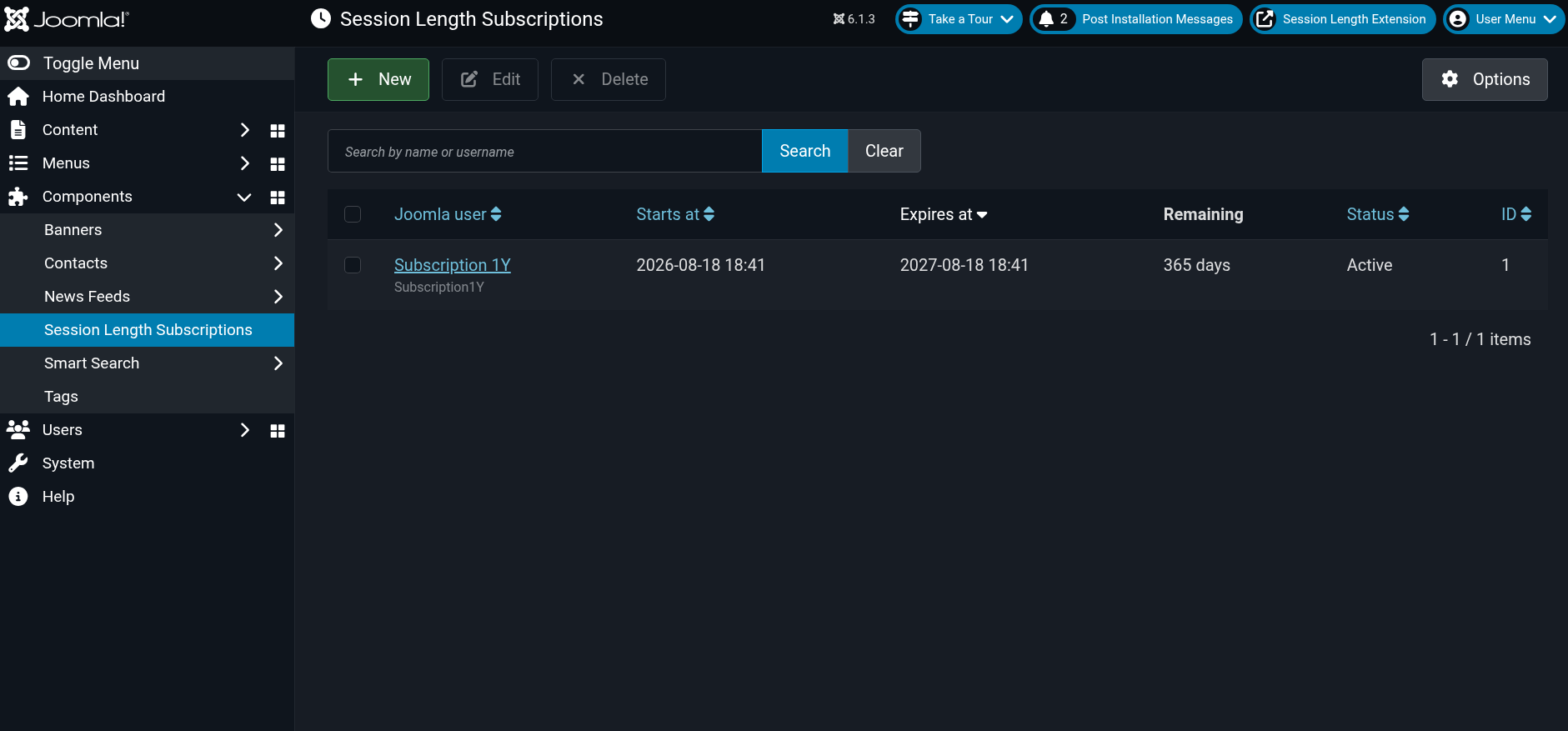
Subscription enforcement is enabled for 3 years expires at: 2029-08-18 18:41.
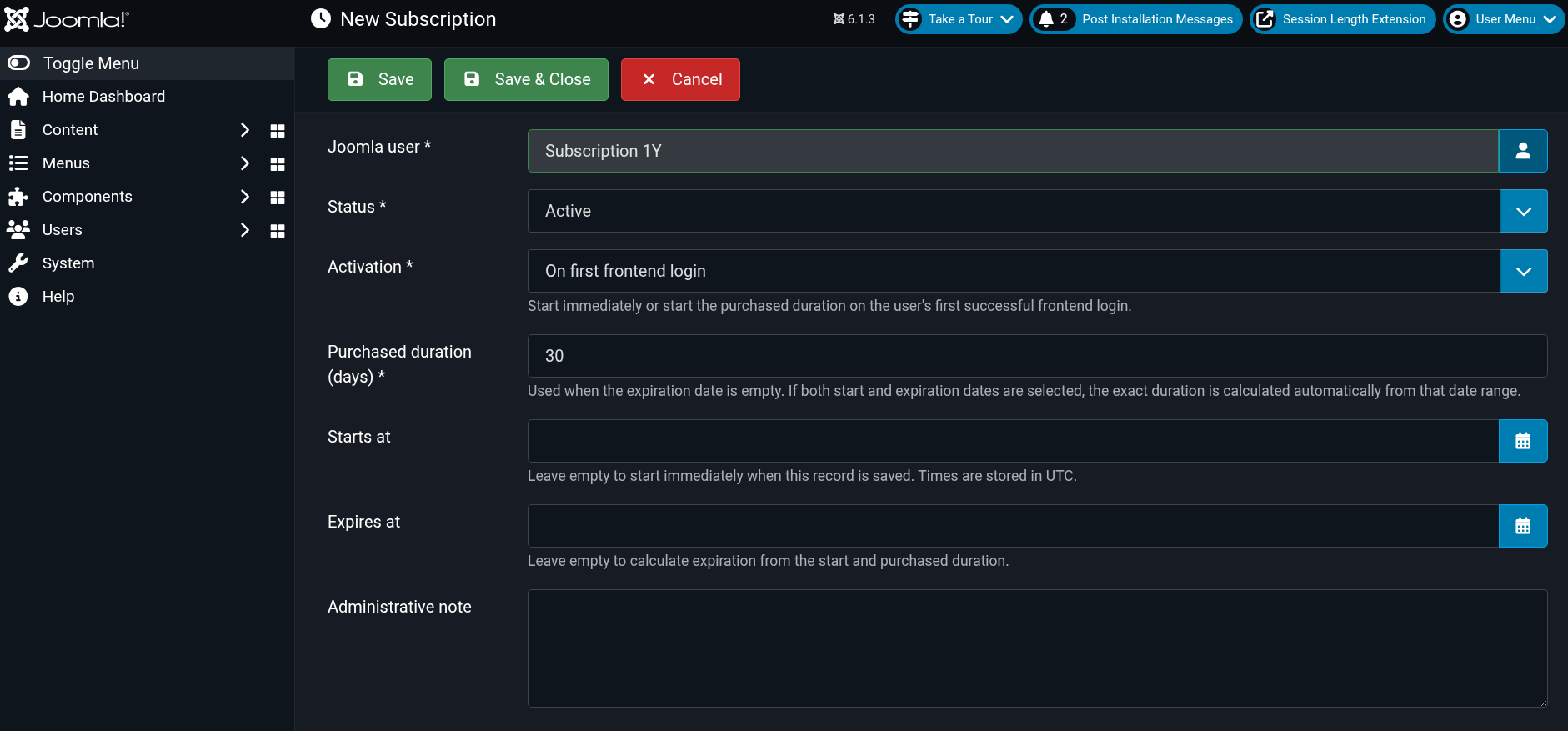
In options you can configure for each user Session Length and when may start immediately or on your first successful frontend login.
When you sign in as Subscription1Y, you will have access to the subscriber-only menu
Subscription1YSign in on the public site as your new Joomla test account. The configured session starts on the first frontend request after login and the countdown becomes visible.
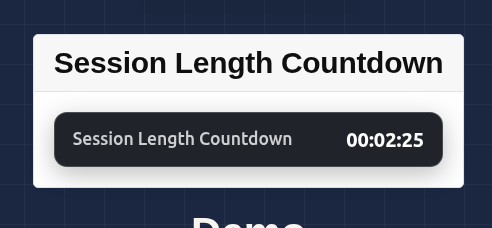
The countdown changes appearance at the configured warning threshold. At zero, Joomla logs the account out. If the browser script is interrupted, the next frontend request still enforces the expiry on the server.
| Action | Expected behavior |
|---|---|
| Refresh a page | The remaining time continues it does not reset. |
| Open another tab | Both tabs use the same server-backed session deadline. |
| Reach the warning threshold | The countdown changes to its warning state. |
| Reach zero | The user is logged out and must authenticate again. |
| Subscription expires first | The earlier subscription expiry becomes the effective deadline. |
| Exceed the login-frequency limit | The new frontend login is rejected until the rolling window permits it. |
Registration alone does not create a paid subscription. For the subscription demonstration, an administrator must create a record under Components → Session Length Subscriptions and place the user in a group protected by the plugin's Included/Excluded group configuration.
Demo administrators regularly remove expired subscriptions and unused test accounts.
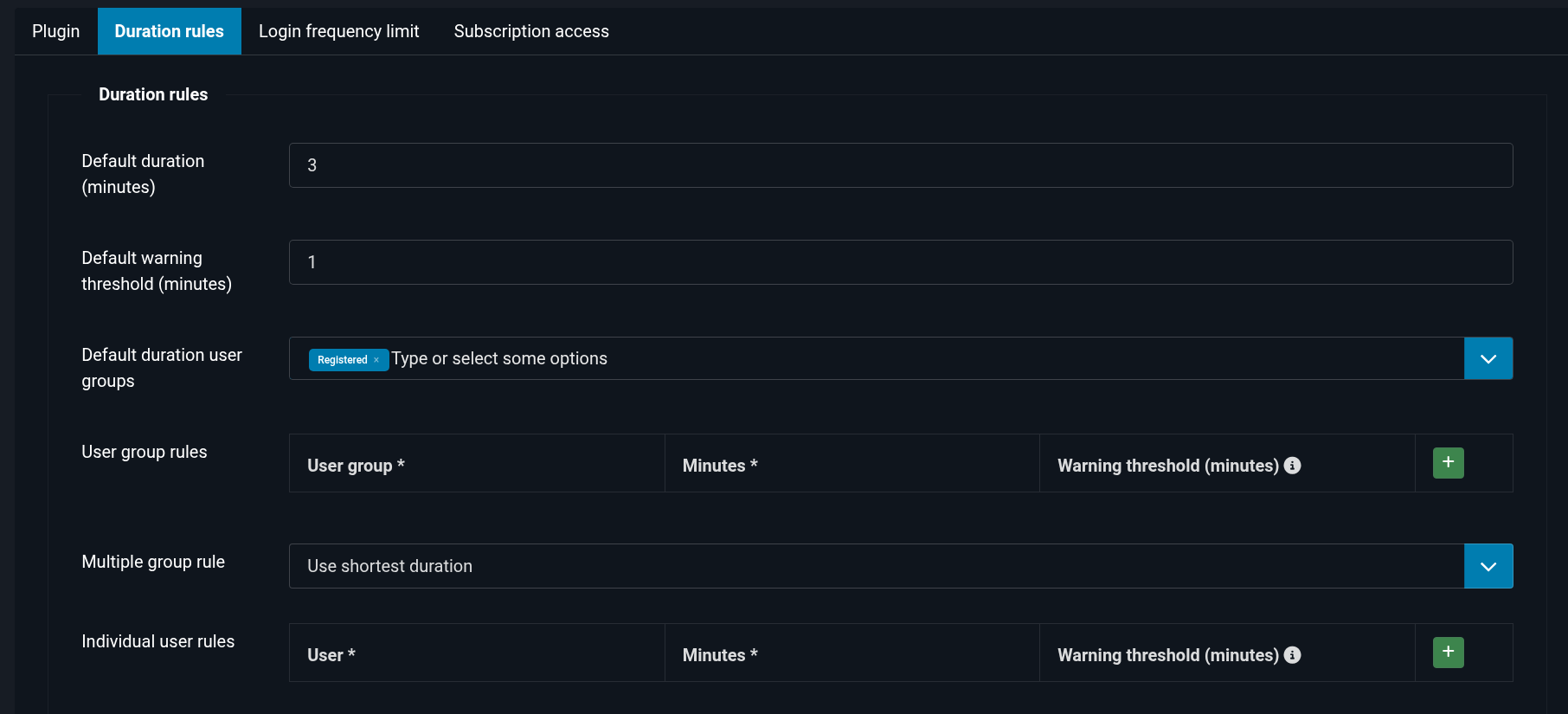
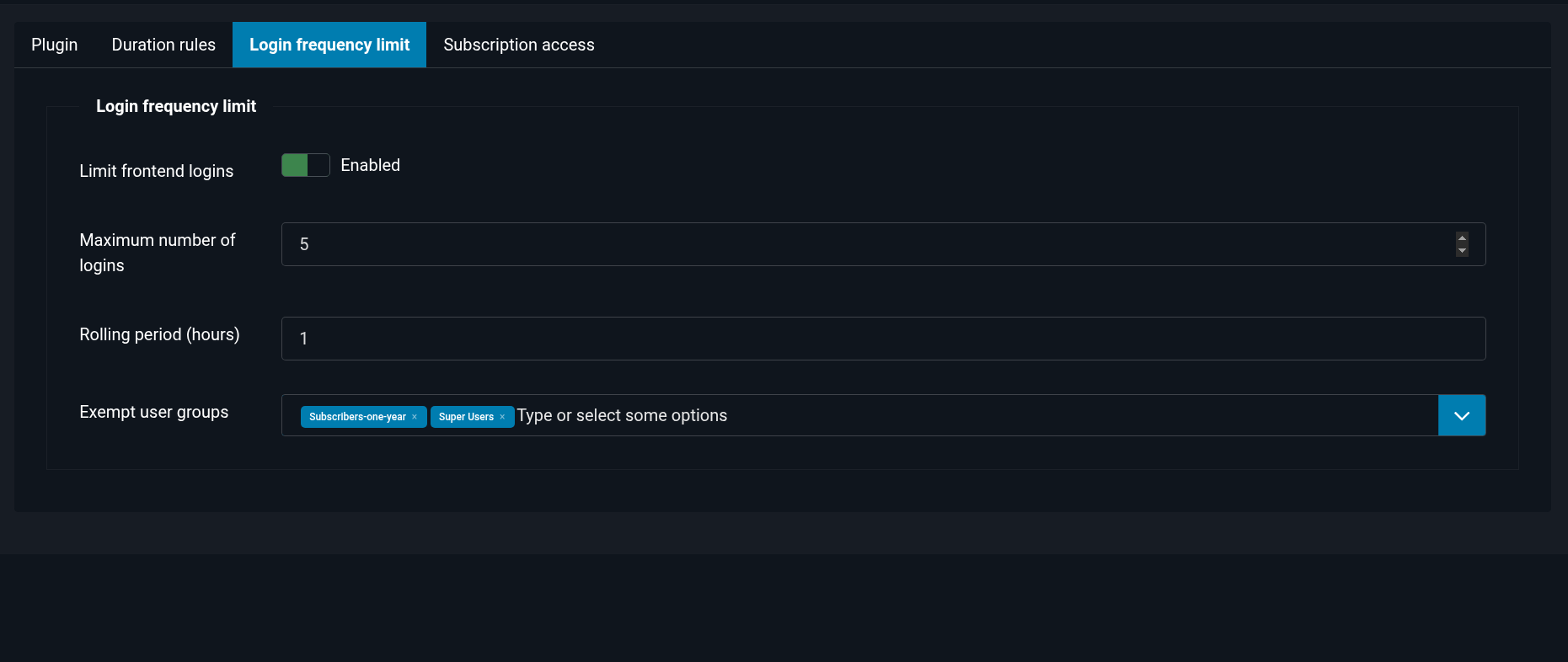
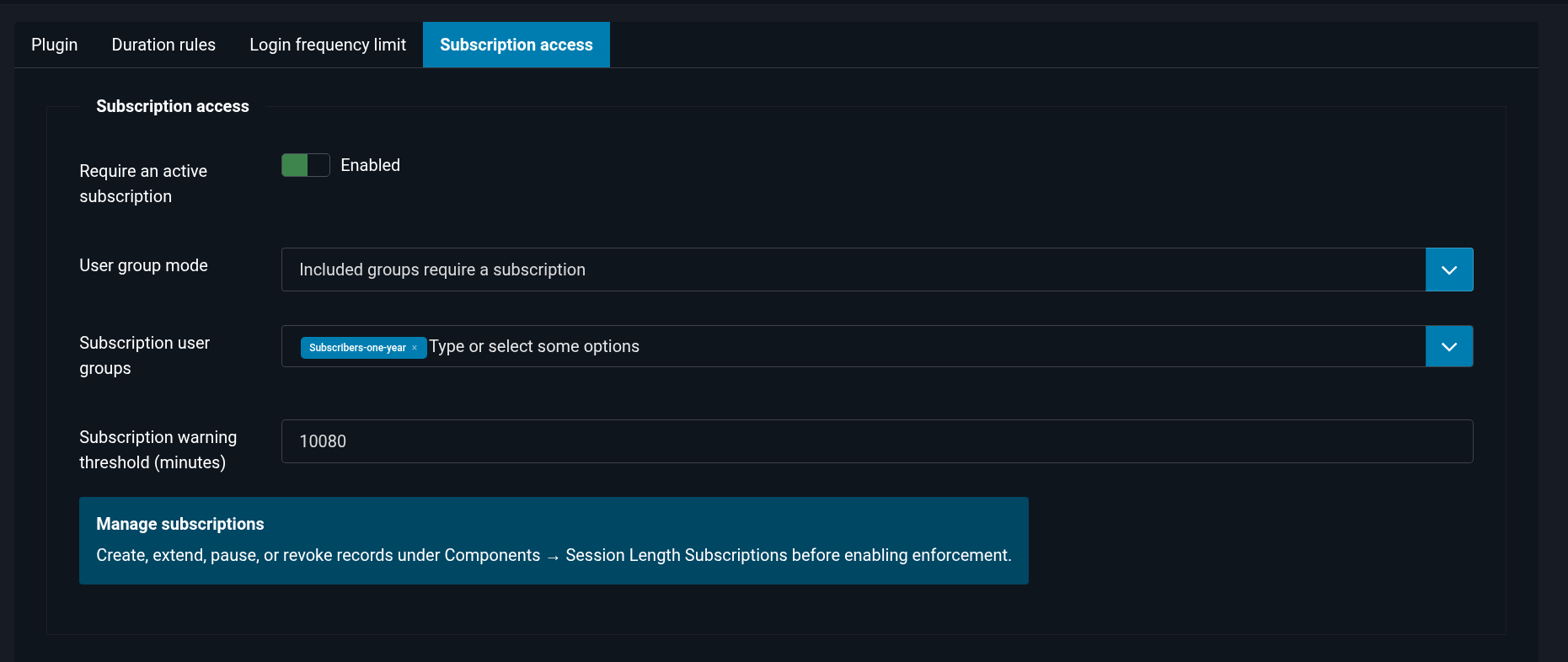
Subscriptions after plugin settings is done should be finaly configured in coponent